

Connect Shipzobuy with Shopify, and ship anywhere
Approve Shipzobuy once in your Shopify admin. Your orders and products come in on their own, you compare carrier rates and buy the label, and Shopify gets the tracking number.
Labels with



Shopify app
Shopify orders in, labels out
Set it up once. After that, orders, labels and tracking move between Shopify, Shipzobuy and the carrier on their own.
- Create your Shipzobuy accountFree, and no card is needed.
- Connect your storeEnter your myshopify.com address and approve Shipzobuy in Shopify.
- Add where you ship fromYour address and the boxes you use most.
- Top up and shipOpen an order, compare rates and buy the label. Tracking goes back to Shopify.
Orders
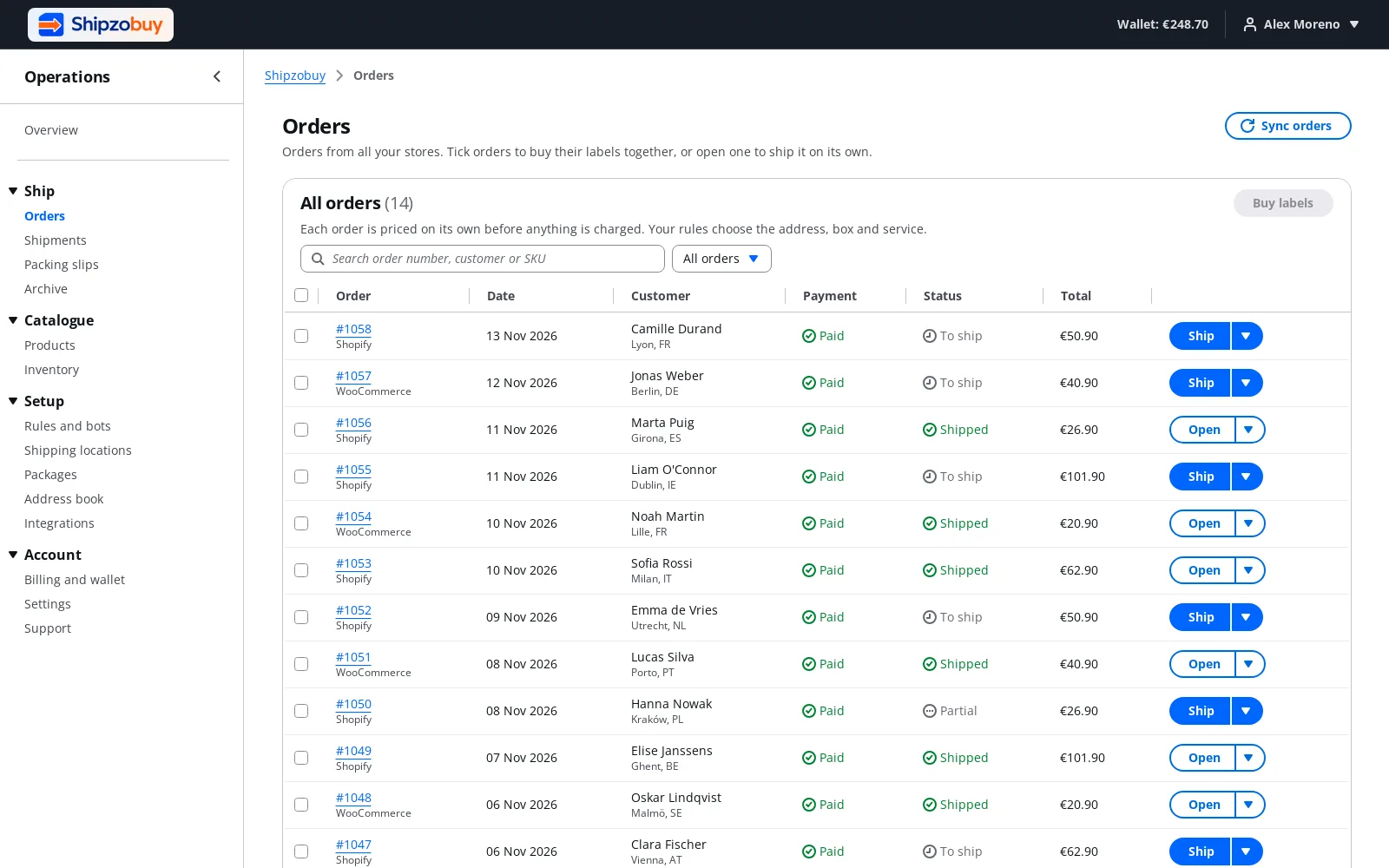
Your Shopify orders, ready to ship
New and updated orders arrive without anyone exporting anything. Products come too, with their weights, so parcels are rated on real numbers.
- Orders and products sync automatically
- Sync by hand whenever you want
- Connect more than one Shopify store
Labels
Compare rates and buy the label
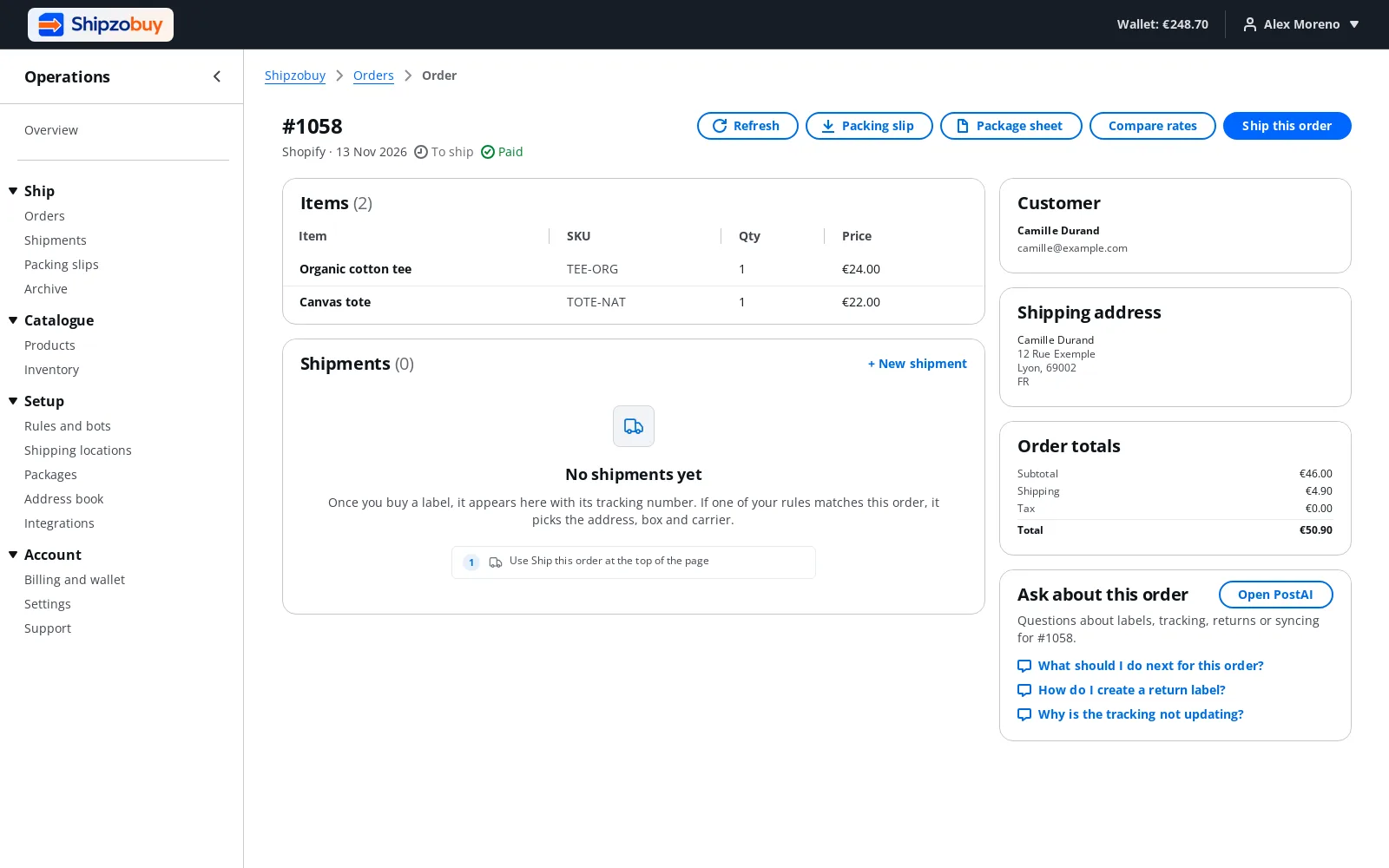
Open an order to see live prices from UPS, FedEx, DHL and USPS side by side. Buy the one you want and print it, with the packing slip.
- Live carrier rates before you buy
- Packing slips and package sheets
- Return labels for the same order
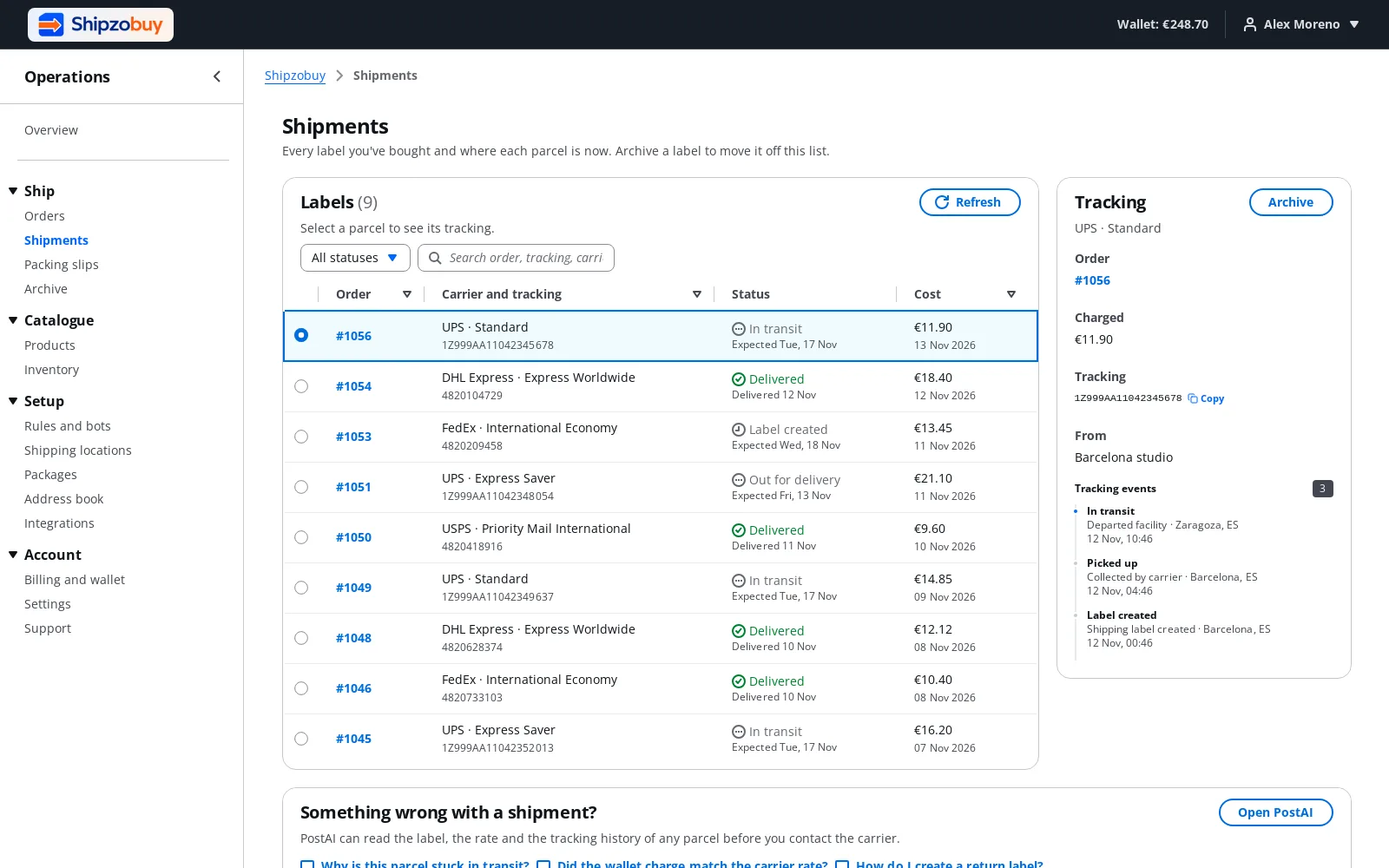
Tracking
Shopify is updated for you
When you buy a label, the order is fulfilled in Shopify with the carrier and tracking number, so your customer gets Shopify's shipping email as usual.
- Fulfilment and tracking added to the Shopify order
- Works with partly shipped orders
- Every parcel's latest scan in one list
Built for how Shopify works
Shopify questions
How do I pay for Shipzobuy on Shopify?
Does Shipzobuy change my checkout?
What happens in Shopify when I buy a label?
Can I connect more than one Shopify store?
Selling somewhere else too?
%20--%3e%3csvg%20version='1.1'%20id='Layer_1'%20xmlns='http://www.w3.org/2000/svg'%20xmlns:xlink='http://www.w3.org/1999/xlink'%20x='0px'%20y='0px'%20viewBox='0%200%20183.6%2047.5'%20style='enable-background:new%200%200%20183.6%2047.5;'%20xml:space='preserve'%3e%3cstyle%20type='text/css'%3e%20.st0{fill-rule:evenodd;clip-rule:evenodd;fill:%23873EFF;}%20.st1{fill-rule:evenodd;clip-rule:evenodd;}%20.st2{fill:%23873EFF;}%20.st3{fill-rule:evenodd;clip-rule:evenodd;fill:%23FFFFFF;}%20.st4{fill:%23FFFFFF;}%20%3c/style%3e%3cg%3e%3cpath%20class='st0'%20d='M77.4,0c-4.3,0-7.1,1.4-9.6,6.1L56.4,27.6V8.5c0-5.7-2.7-8.5-7.7-8.5s-7.1,1.7-9.6,6.5L28.3,27.6V8.7%20c0-6.1-2.5-8.7-8.6-8.7H7.3C2.6,0,0,2.2,0,6.2s2.5,6.4,7.1,6.4h5.1v24.1c0,6.8,4.6,10.8,11.2,10.8s9.6-2.6,12.9-8.7l7.2-13.5v11.4%20c0,6.7,4.4,10.8,11.1,10.8s9.2-2.3,13-8.7l16.6-28C87.8,4.7,85.3,0,77.3,0C77.3,0,77.3,0,77.4,0z'/%3e%3cpath%20class='st0'%20d='M108.6,0C95,0,84.7,10.1,84.7,23.8s10.4,23.7,23.9,23.7s23.8-10.1,23.9-23.7C132.5,10.1,122.1,0,108.6,0z%20M108.6,32.9c-5.1,0-8.6-3.8-8.6-9.1s3.5-9.2,8.6-9.2s8.6,3.9,8.6,9.2S113.8,32.9,108.6,32.9z'/%3e%3cpath%20class='st0'%20d='M159.7,0c-13.5,0-23.9,10.1-23.9,23.8s10.4,23.7,23.9,23.7s23.9-10.1,23.9-23.7S173.2,0,159.7,0z%20M159.7,32.9%20c-5.2,0-8.5-3.8-8.5-9.1s3.4-9.2,8.5-9.2s8.6,3.9,8.6,9.2S164.9,32.9,159.7,32.9z'/%3e%3c/g%3e%3c/svg%3e)


Ship your next Shopify order from Shipzobuy.
Create a free account and connect your Shopify store. Your orders are there in a few minutes, and no card is needed to sign up.